

Summarize with AI
In 2026, migrating to Shopify 2.0 means moving a vintage theme to an Online Store 2.0 theme such as Horizon or a custom one. This guide compares the three theme architectures, shows what vintage themes miss, explains four migration paths, including custom themes on our AI-native design system Runway DS, how to choose between them, how AI agents help with the work, and what we learned from everydays and OPTISOFA.
"Shopify 2.0" is the name most merchants still use for Online Store 2.0, the theme architecture Shopify introduced in June 2021. In 2026, migrating to Shopify 2.0 means one thing: moving a store from a vintage theme to an Online Store 2.0 theme, such as one from the Horizon family or a custom theme built on the same architecture. Vintage themes were built before Shopify's AI tools for themes, so in 2026 they are pre-AI era themes: they can't use Sidekick block generation, theme blocks or the other features Shopify now builds around AI-assisted editing. This guide explains what a vintage theme misses, how to check which kind of theme you have, and how to decide between switching themes, refactoring your current one and building a new one, including on Runway DS, our AI-native design system for Shopify themes. We checked every feature, date and link below against Shopify's documentation on November 6, 2026.
What "Shopify 2.0" means in 2026
Shopify 2.0 isn't a new version of Shopify you switch on. It's a theme architecture, and your store gets it by running a theme built on it. Shopify's Help Center describes three theme architecture versions:
- Vintage themes use the original theme architecture. Some are sectioned, some aren't.
- Online Store 2.0 themes support sections on all pages and dynamic sources, which connect metafields and other store data to the theme editor.
- Themes with theme blocks, including the Horizon family, are the latest version and include everything in Online Store 2.0.
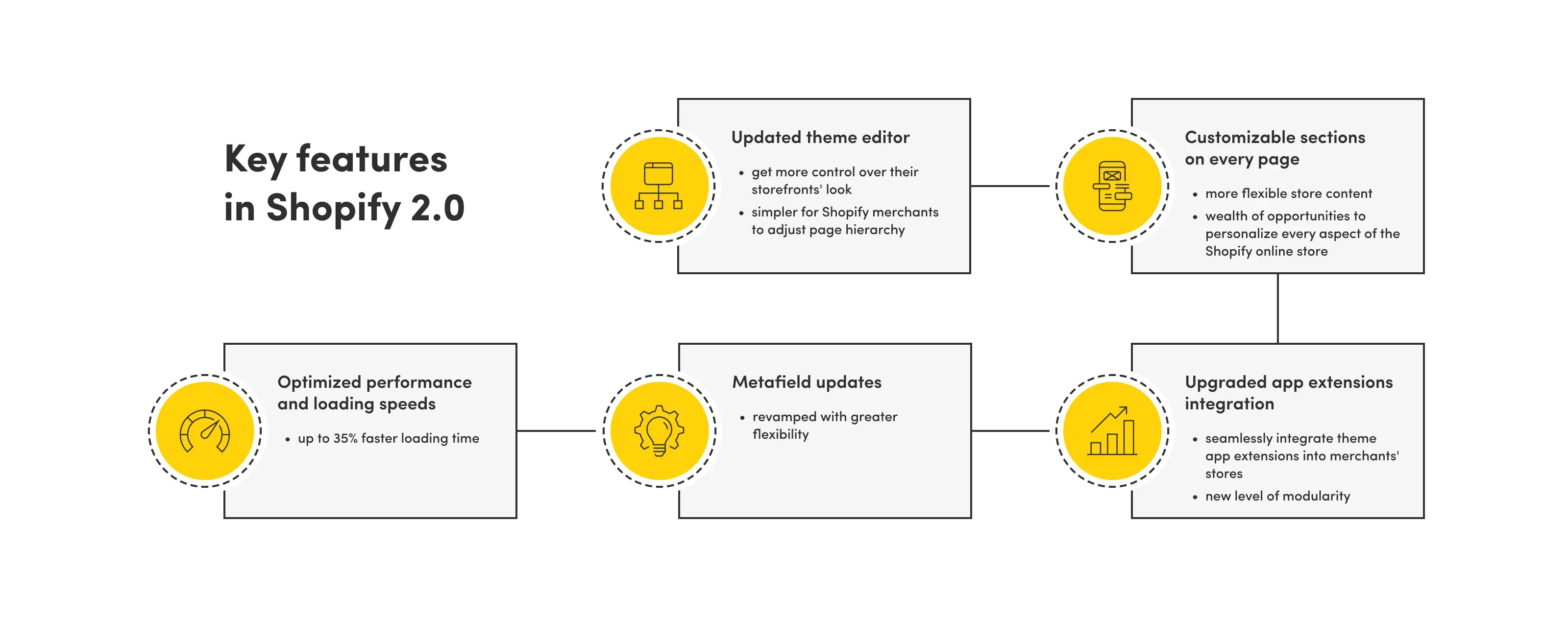
Shopify announced Online Store 2.0 at its Unite conference on June 29, 2021, together with Dawn, its free reference theme. Shopify said at the time that Dawn was 35% faster than Debut, the vintage default theme it replaced.
Horizon arrived in the Summer '25 Edition in May 2025 and is built around theme blocks: reusable modules that can be nested and used across sections. Our guide to Shopify Liquid in 2026 explains theme blocks, Horizon and the newer changes in more detail, so this article focuses on the migration itself.
How to check if your theme is vintage
The quickest test is the product template in the theme editor. According to the Help Center, open the theme editor, go to Products > Default product, and look below the list of sections. If there's no Add section button, you most likely have a vintage theme.
Two more checks from the same page:
- Drag and drop: if you can drag and drop elements in the editor, your theme is at least sectioned.
- Code: in Edit code, an empty
sectionsfolder means a non-sectioned theme.
One case to watch for: a theme that was only partly migrated. Rafał Depa, who led our Shopify team at the time, described it in our 2023 podcast episode on Shopify 2.0: you can move sections on the product page, but the rest of the theme can't be edited the same way. The Help Center confirms that partially migrated themes can lack JSON templates on some pages. Treat that as a vintage theme for planning purposes.
What a pre-AI era theme misses in 2026
A vintage theme still works, but it's locked out of most of what Shopify has built for themes since 2021, including AI block generation. Shopify's AI tools for themes, such as Sidekick block generation, theme blocks and the AGENTS.md instruction files that coding agents read, are designed around the newer architecture. The table below compares the three architecture versions. It's based on Shopify's theme versions comparison, the theme app extension docs and the Help Center article on AI-generated blocks, checked November 6, 2026.
| Feature | Vintage theme | Online Store 2.0 theme | Theme with theme blocks (e.g. Horizon) |
|---|---|---|---|
| Sections on every page | No | Yes | Yes |
| Creating new templates in the editor | No | Yes | Yes |
| App blocks (apps placed and configured in the theme editor) | No, they need JSON templates | Yes | Yes |
| App embed blocks (floating or invisible app elements) | Yes | Yes | Yes |
| Dynamic sources (metafields connected in the editor) | No | Yes | Yes |
| Collection filtering and predictive search | No | Yes | Yes |
| Theme blocks (reusable, nestable blocks) | No | No | Yes |
| AI block generation with Sidekick | No | Theme Store themes and compatible third-party themes | Yes |
Sections and templates on every page
On a vintage theme, most pages have a fixed layout that only a developer can change. Online Store 2.0 uses JSON templates, which list the sections on a page. Merchants can add, remove and reorder those sections on product pages, collection pages and landing pages, and create separate templates, for example one product template for bundles and another for single products.
App blocks instead of injected code
App blocks let an app add its interface to a page without editing theme code, and they only work on themes with JSON templates. On a vintage theme, apps such as reviews or size guides usually have to insert code into theme files, and that code can stay behind after the app is uninstalled. App embed blocks, which add things like chat widgets or tracking, do work on vintage themes, but anything placed inside a page section needs Online Store 2.0.
Metafields in the theme editor
Dynamic sources let merchants connect metafields to theme settings without code, and vintage themes don't support them. Product specs, care instructions, size charts or a second description can live in metafields and show up in any section that accepts them. On a vintage theme, each of these needs custom code or an app.
Theme blocks and AI block generation
Merchants on vintage themes can't use Sidekick to generate theme blocks. Since December 10, 2025, AI block generation in the theme editor works with every theme from the Shopify Theme Store. According to the Help Center, it isn't available on vintage themes or on the Starter plan, and you have to buy a paid third-party theme before you can use it. Each generated block is a new Liquid file in the theme's blocks folder, and Shopify says you're responsible for reviewing and testing it.
Updates
Shopify's free vintage themes only get security fixes. They also can't be installed from the Theme Store anymore, and every theme that's listed there now has to support JSON templates and app blocks under the Theme Store requirements.
Checkout and Thank you pages: a separate deadline
Checkout changes aren't part of a theme migration, but old stores often have both problems at once. Since August 13, 2024, checkout.liquid no longer works for the Information, Shipping and Payment pages. On the Thank you and Order status pages, Shopify Plus stores lost checkout.liquid, additional scripts and script tags on August 28, 2025, and the upgrade deadline for all other plans was August 26, 2026. If your vintage theme era also left tracking or custom code in Additional scripts, plan that move to Checkout Extensibility alongside the theme project. Our Checkout Extensibility upgrade guide covers the steps.
How to migrate a vintage theme to Online Store 2.0
There's no button that converts a vintage theme to Online Store 2.0. You either move to a new theme or have a developer rebuild your current one on the new architecture. Rafał put it simply in our podcast: even when a theme developer releases a 2.0 version and you install it, your settings and content customizations don't carry over, because the file structure is different. They have to be set up again.
That leaves four paths.
1. Switch to a new Online Store 2.0 theme
For most stores on a free or Theme Store vintage theme, switching to a current theme is the fastest route. The Help Center recommends exactly this: pick a theme that supports the features you need, customize it, and only then replace your current theme. Horizon-family themes are the obvious starting point in 2026, because they support theme blocks and AI block generation. Plan time to rebuild your homepage and templates, reconnect apps as app blocks, and remove code that old apps left in the vintage theme.
2. Refactor your custom vintage theme
If your custom theme still fits your brand and works well, a developer can convert it to Online Store 2.0. Shopify's migration guide describes the steps for each template:
- duplicate the theme and work on an unpublished copy;
- move the template's Liquid code into a section;
- delete the old
.liquidtemplate and create a JSON template that points to that section; - add support for app blocks (
@app) in the section; - test in the theme editor and repeat for every template.
The result is an Online Store 2.0 theme, but not a theme with theme blocks. Adding theme blocks is a bigger change, closer to a rebuild.
3. Build a new custom theme
If the store needs a redesign anyway, building a new custom theme on the current architecture usually makes more sense than refactoring the old one and redesigning it later. A new custom theme can use theme blocks from the start, so merchants get the same editing model as Horizon, with your own design and features.
4. Our recommended path for 2026: a custom theme on Runway DS
Runway DS is our AI-native design system for Shopify themes, and it gives you custom-theme flexibility in much less time. With Runway DS and AI-assisted delivery, the first version of a custom theme takes about as long as setting up a ready-made theme, and delivery is up to 40% faster. What that means in practice:
- Built for your brand: coded components with a matching kit in Figma, reshaped around your identity.
- Lighter code: only the components you use reach the store.
- Reviewed by people: AI speeds up delivery inside our process, and our team does the front-end review, checks WCAG 2.2 AA accessibility and runs regression and purchase-path tests before anything goes live.
- Nothing closed: you get a standard Shopify theme with full code and no license per store.
For a store leaving a vintage theme, this combines the speed of switching to a ready-made theme with the fit of a custom build. Ask our Shopify theme development team about Runway DS.
Rebuild or refactor: how to decide
The deciding question is whether you'd keep your current design for the next two to three years. If not, refactoring code you're about to replace is wasted work. Rafał made the same point in our podcast: many clients combine the move to 2.0 with a redesign, because recreating the old theme doesn't always make sense, and starting from a modern theme often gives a faster store.
| Your situation | Usually the better path |
|---|---|
| Free or Theme Store vintage theme, few custom features | Switch to a current Theme Store theme, such as one from the Horizon family |
| Custom vintage theme, design still works, a lot of custom logic | Refactor to Online Store 2.0, then add theme blocks step by step |
| Custom vintage theme, redesign due within a year | Build a new custom theme with theme blocks |
| You want a custom design but the timeline of a ready-made theme | A custom theme on Runway DS, our AI-native design system |
| Headless storefront that's slow to change | Consider a custom Liquid theme (see the OPTISOFA example below) |
| Theme only partly migrated | Finish the migration on the remaining templates or switch, so the whole store uses one model |
What about Shopify's newest theme architecture?
Don't wait for it, but plan with it in mind. In the Fall '26 Edition on October 28, 2026, Shopify presented a new theme architecture where pages are composed in Liquid with blocks, and the {% block %} and {% partial %} tags behind it are still a developer preview. Shopify says existing themes with sections and JSON templates keep working. A theme built on theme blocks today is the closest starting point for what comes next. We cover the details in our Liquid guide.
Using AI in a theme migration
AI agents can take on a lot of the repetitive work in a migration, as long as they work inside a process with a developer signing off. Moving template code into sections, writing JSON templates and adding block schemas follow clear patterns that a coding agent handles well. Shopify gives developers tools for this: the Shopify AI Toolkit and its Dev MCP server connect agents such as Claude Code or Cursor to Shopify's current documentation and validate Liquid against Shopify's schemas. After the migration, merchants can use Sidekick to generate new blocks in the theme editor.
In our projects, AI agents work inside the same guardrails as any developer:
- the agent works on an unpublished copy of the theme in Git, never on the live theme;
- it checks objects, filters and schemas against Shopify's docs through Dev MCP;
- every change passes Theme Check, Shopify's linter;
- a developer on our team reads the diff, tests templates on desktop and mobile, checks speed and signs off before anything goes live.
Shopify's own docs say the same about both Sidekick blocks and the AI Toolkit: someone has to review and test the result. More on this in Shopify MCP explained.
From our practice
Two of our projects show both directions a migration can take: moving up from a vintage theme, and moving back to a Liquid theme from headless.
everydays: from a vintage theme to Online Store 2.0
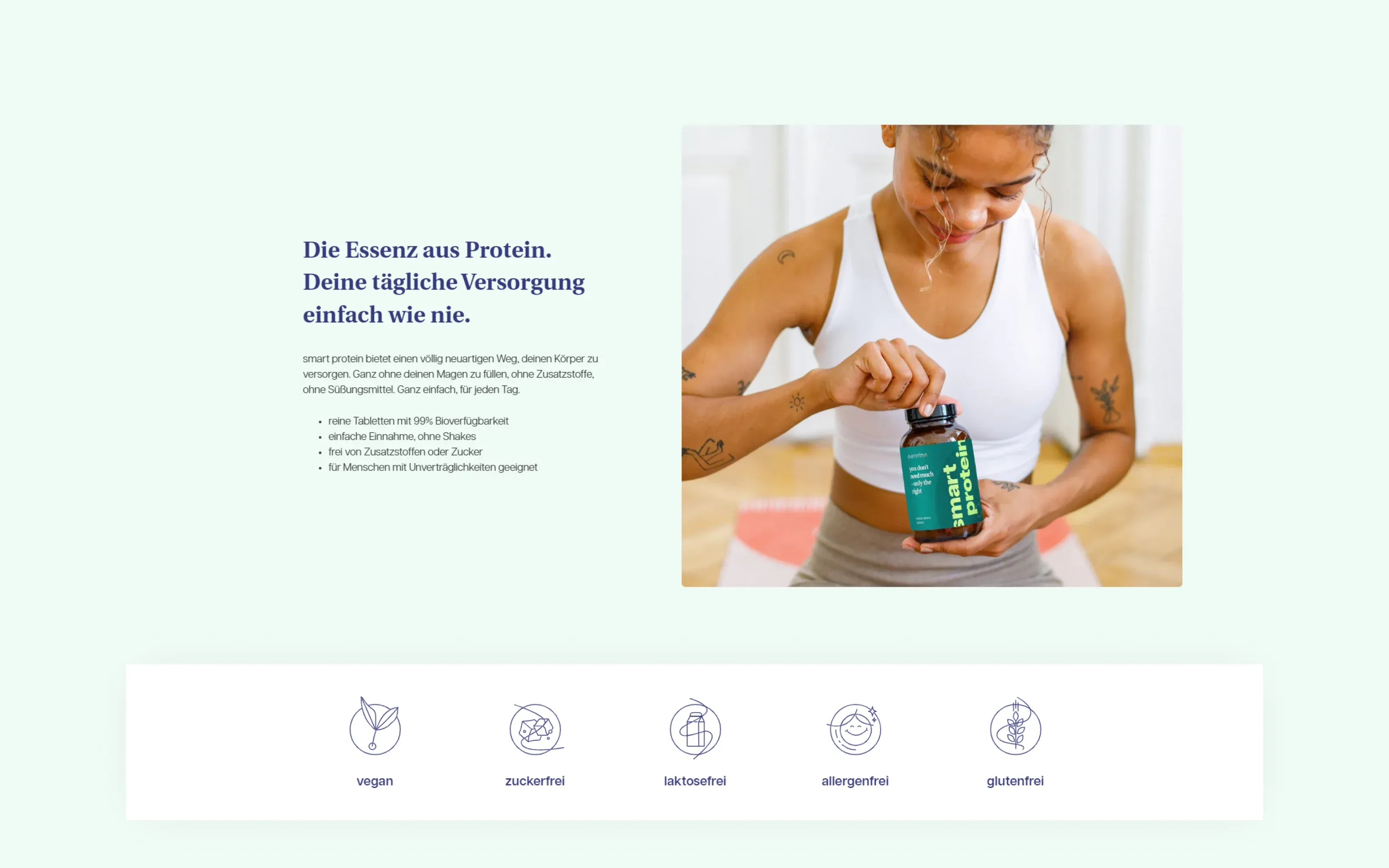
everydays is a German brand of dietary supplements developed with scientists and laboratories, with vegan, gluten-free, lactose-free and sugar-free versions. When we first wrote about this project in 2023, we had been working with everydays for about a year and a half, starting with a Shopify maintenance partnership on a vintage theme.
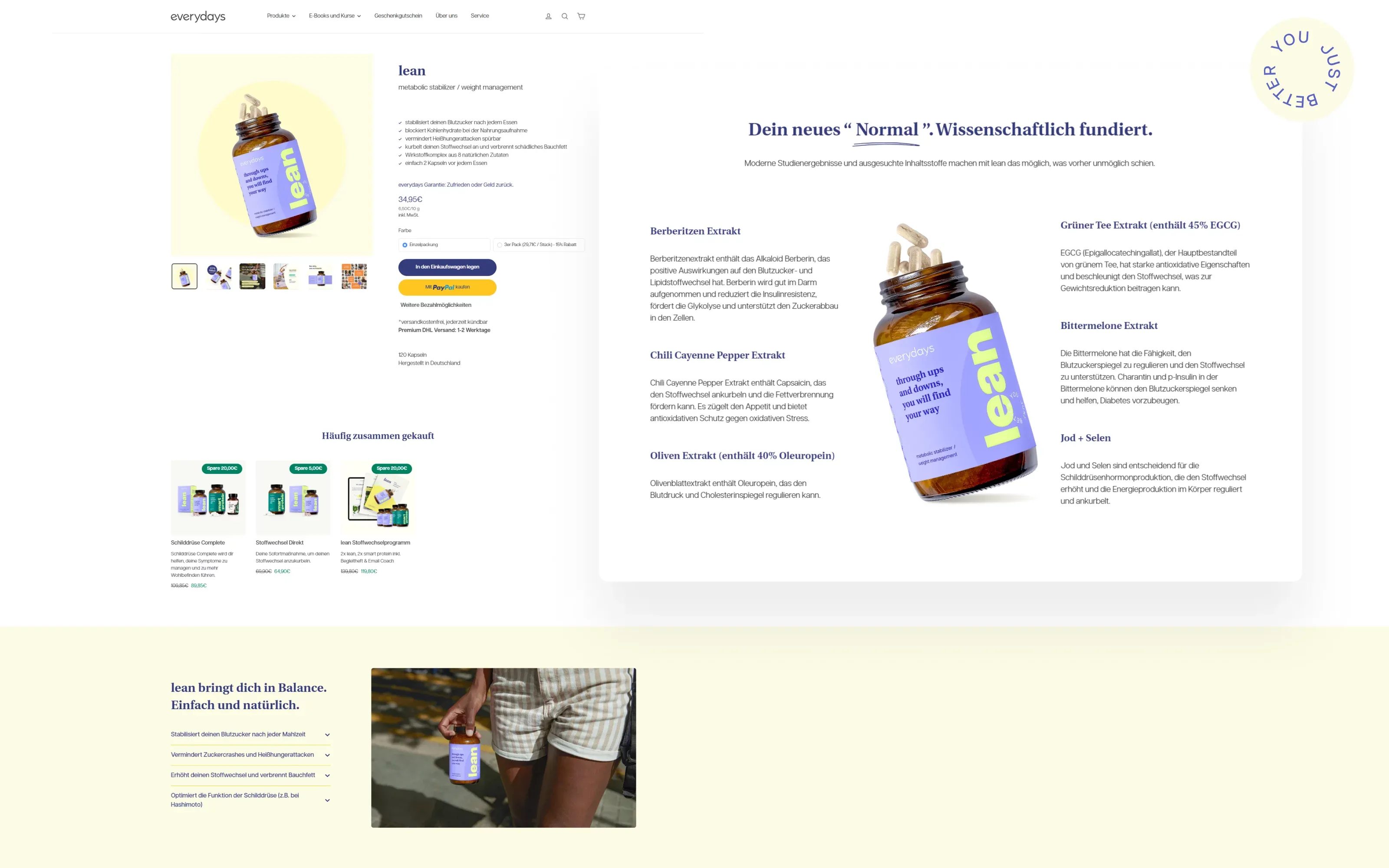
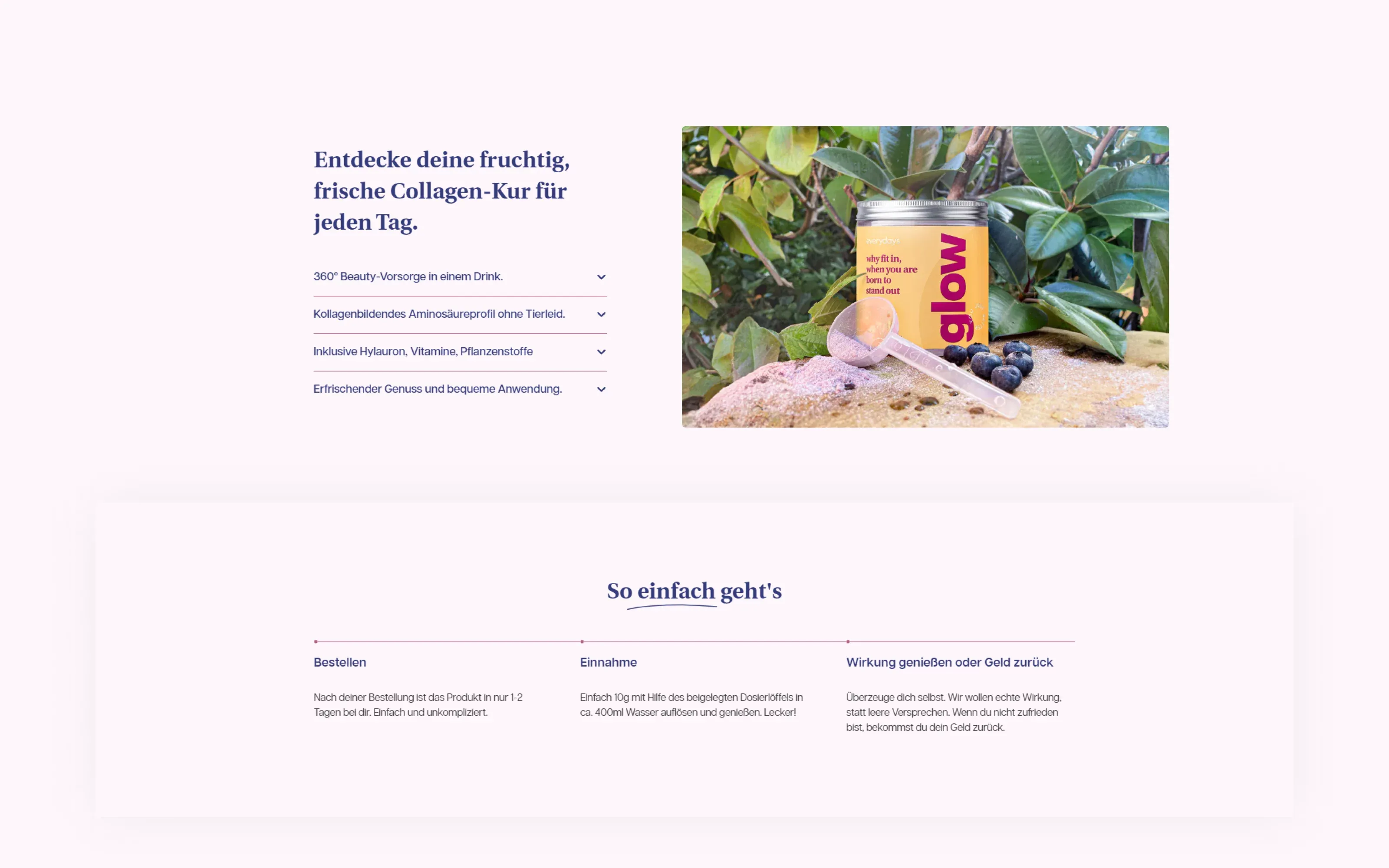
The brand wanted a rebrand and a store its team could run on its own: modern, personalized and easy to use. We proposed moving to Online Store 2.0. The store kept its theme, and we customized the design to the client's needs in Shopify's theme editor and added many custom-designed elements. This semi-custom approach balanced working on the theme against fully custom development.
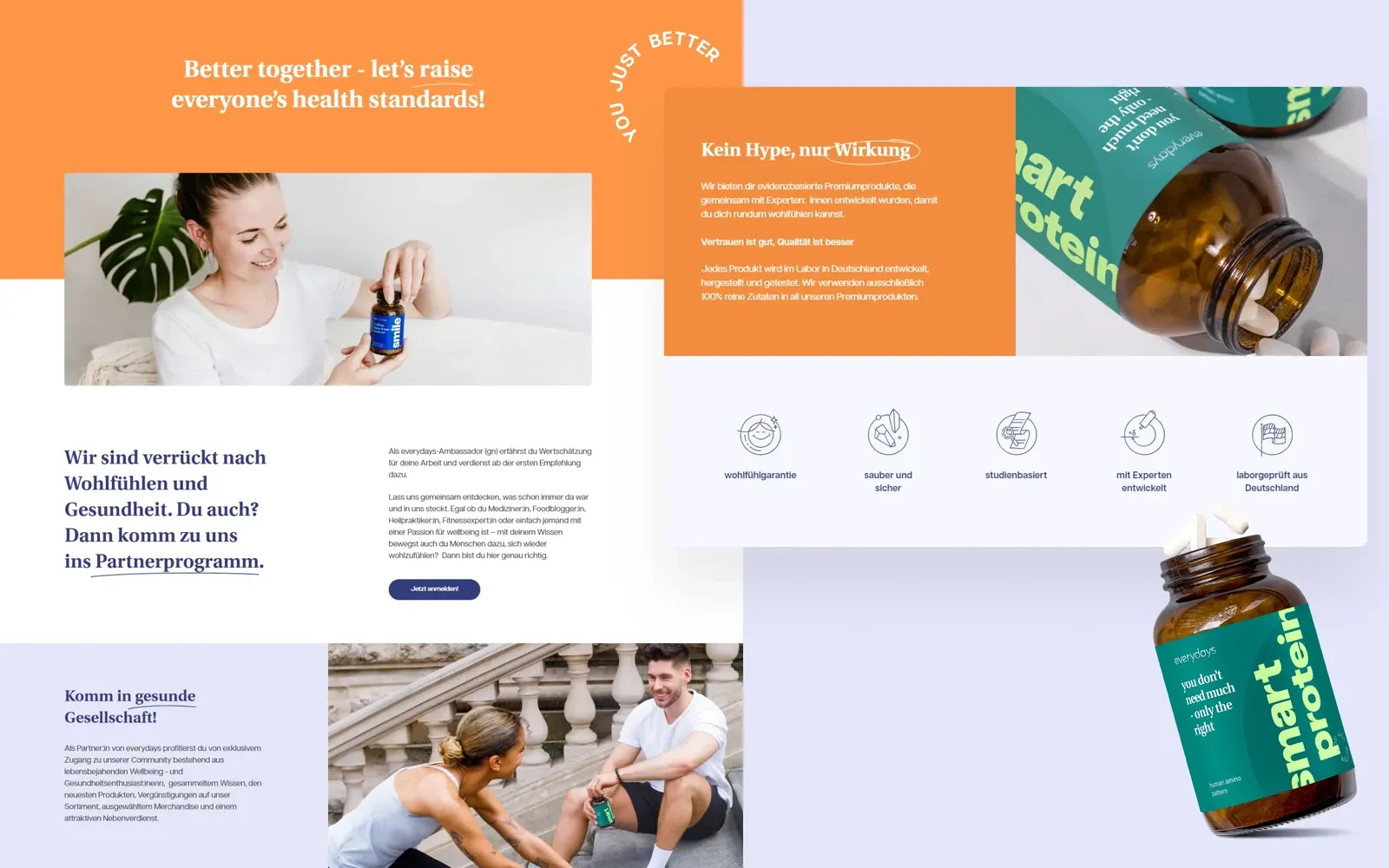
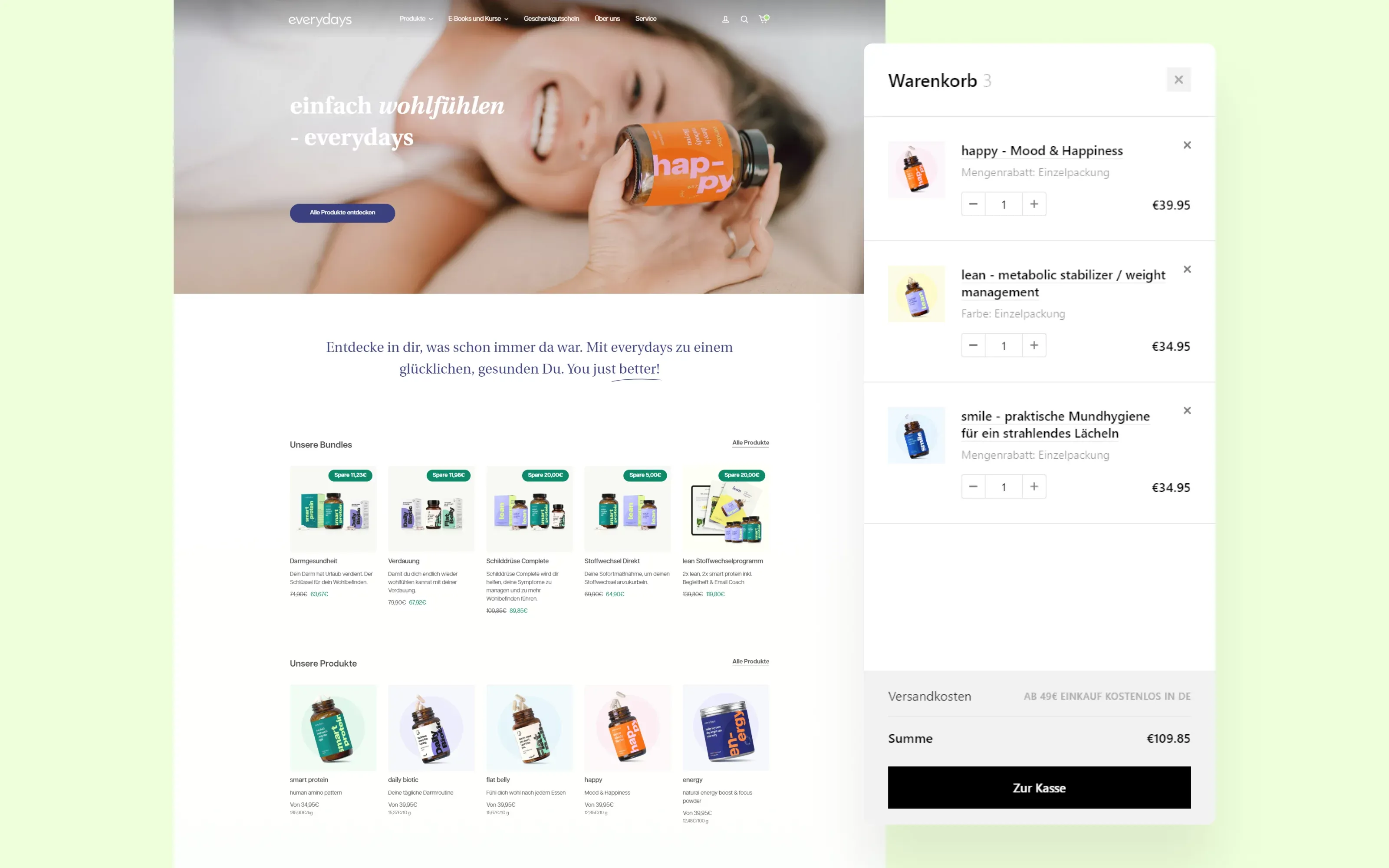
After training, the everydays team could change the store and add new components themselves, without waiting for a developer.
"WeCanFly supported us in the whole process of transferring our elaborated CI to our website. The cooperation was smooth, eye-to-eye, and fast. Our customers and partners love our new web presence, which ideally presents the brand and positions us in the market. We appreciate very good user feedback, a stable conversion rate, and a high-speed page of this technological solution"
– Julius Jüppner, everydays (2023)
OPTISOFA: from headless back to a custom Liquid theme
A modern Liquid theme can handle more than many brands expect. In 2023 we built a headless Shopify storefront for OPTISOFA, a Polish furniture brand. When a redesign was due, the store went back to a custom Liquid theme: we designed and built the new store in 2025, and it launched in 2026. As we described in our headless Shopify examples, the team valued being able to change the store, install apps and test ideas without a developer building each one into a custom front end, and no feature required headless, including its 3D configurators.
Before you start
A migration is a good moment to fix what isn't working, so measure first. A Shopify UX audit of your current store shows where shoppers get stuck, so the new theme fixes those problems instead of copying them. List your apps and the code they've added, download a copy of your current theme, and note which pages use custom layouts.
If you're on a vintage theme and not sure which path fits, our Shopify migration team can help you decide, and our Shopify theme development team builds custom themes on Runway DS and refactors existing ones, with AI agents doing part of the work inside our process and a developer signing off every change. Get in touch.