

Summarize with AI
How to get your store ready for Black Friday in about 30 minutes with Sidekick, the AI assistant in the Shopify admin: sales analysis, a customer segment, a collection and discount, a storefront banner and an email. Prompts tested on a demo store, with screenshots and our take on where Sidekick helps and where it needs correcting.
Before Black Friday you have to decide what to promote, who to talk to, how to present the offer in your store and how to send it to customers. This usually takes a week of emails, spreadsheets and meetings.
We'll show you how to do it in about 30 minutes with Sidekick, the AI assistant built into the Shopify admin. We tested every prompt on a demo store. Next to each one you'll find a screenshot of the result and our assessment of where Sidekick helps and where it needs correcting.
Working with AI – not just in Shopify
ChatGPT, Claude, Gemini and Copilot are good at analyzing data and writing copy, but they don't know your store. To ask them about your bestsellers, you export orders, paste them in, explain the context, and then manually carry the conclusions back into the admin.
Sidekick – your AI assistant in Shopify
Sidekick works inside the Shopify admin and has access to orders, products, customers and discounts. It answers questions about this data and creates reports, segments, collections and discounts on its own.
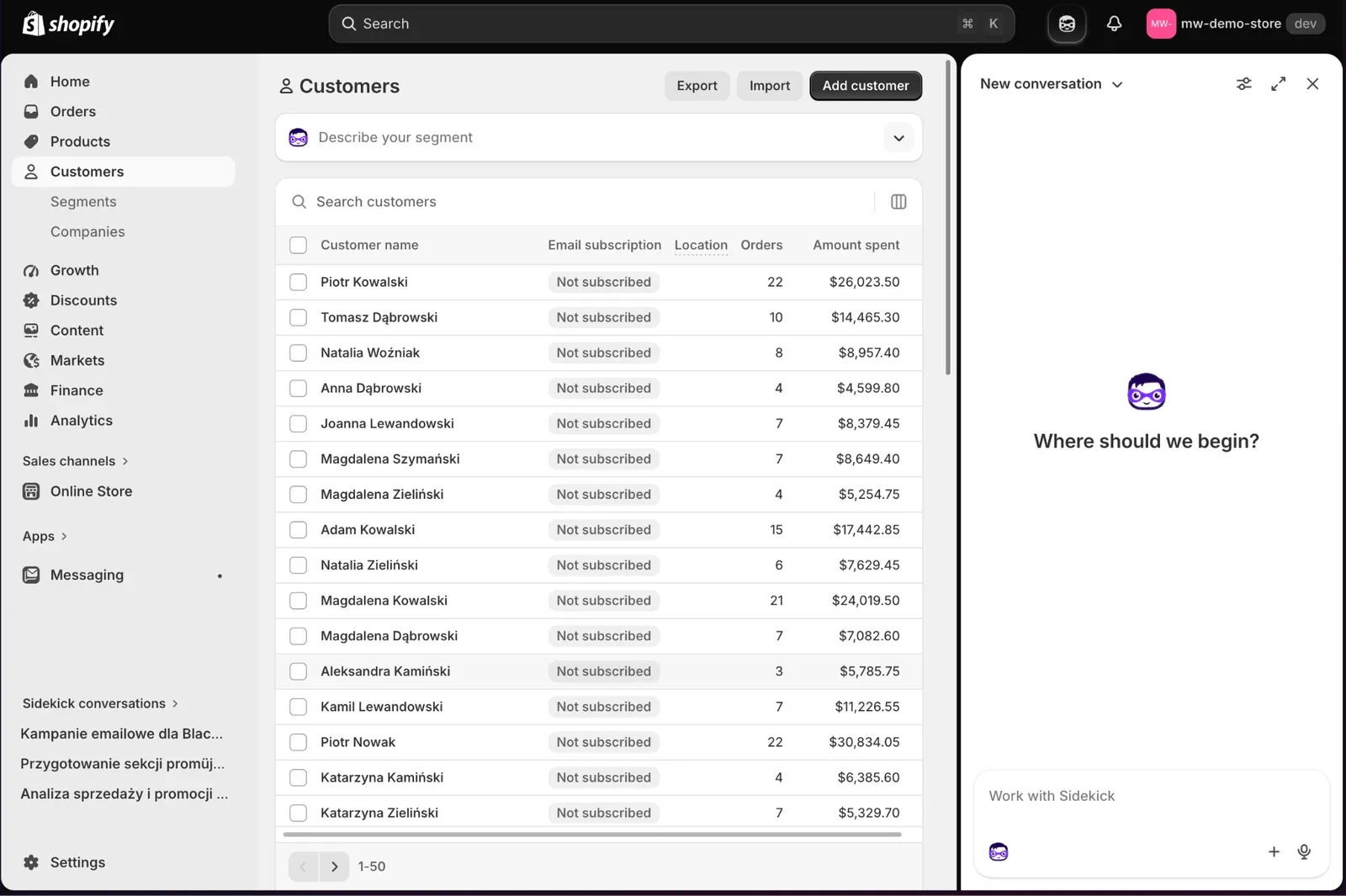
It opens in a side panel, and conversations are saved. We ran the whole demo in a single thread, so in later prompts we could refer back to earlier results.
It also has limitations. It only sees the place where you launch it. From the admin it doesn't automatically reach into apps, and in some of them, e.g. Shopify Messaging, it only works on the current screen. It will only change your theme once you open it in the theme editor.
Challenges before Black Friday
Before the campaign you need to answer three questions:
- What to promote? Which products have the highest sales potential and which ones are worth discounting.
- Who to reach? Which customers to choose based on purchase history and activity.
- How to prepare the campaign? How to bring the offer, the store and marketing communication together in a short time.
The path from business to delivery
In many companies, the answers pass through seven pairs of hands:
Manager → Analyst → Excel → Marketer → Designer → Developer → Shopify
At every handoff, something can get delayed or lost. In the demo, we checked how many of these steps can be skipped.
Assumptions
The demo store has 15 products, 150 registered users and 1000 orders. You can copy the prompts into your own store and change the numbers and names.
What should we promote?
Prompt #1
Analyze sales from the last 90 days. Show the best-selling products, the products generating the most revenue, and the ones worth using in a Black Friday promotion. Justify your choice based on the data.
Prompt #2
Build a report showing the top 10 products by sales.
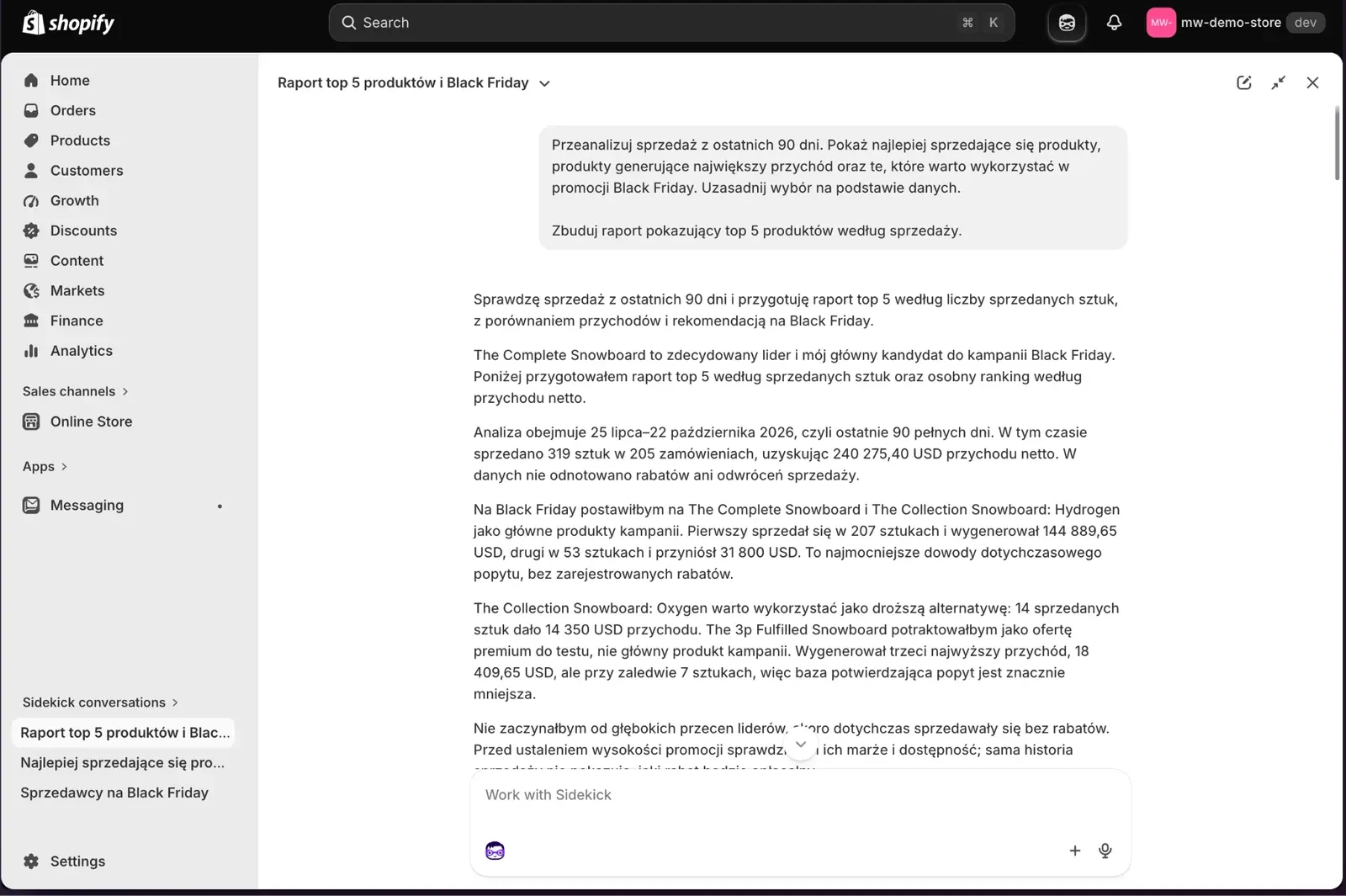
In 90 days (July 25 – October 22) the store sold 319 units in 205 orders, for USD 240,275.40 net. More than half of the revenue came from a single product, The Complete Snowboard: 207 units and USD 144,889.65. Sidekick bet on it and on The Collection Snowboard: Hydrogen, leaving Oxygen as a more expensive alternative. The 3p Fulfilled Snowboard has the third-highest revenue but sold only 7 times, so Sidekick considered it at most a premium offer to test.
What it didn't propose were deep discounts. The leaders had been selling without discounts so far, and the size of the promotion, as it wrote, should depend on margin and stock levels.
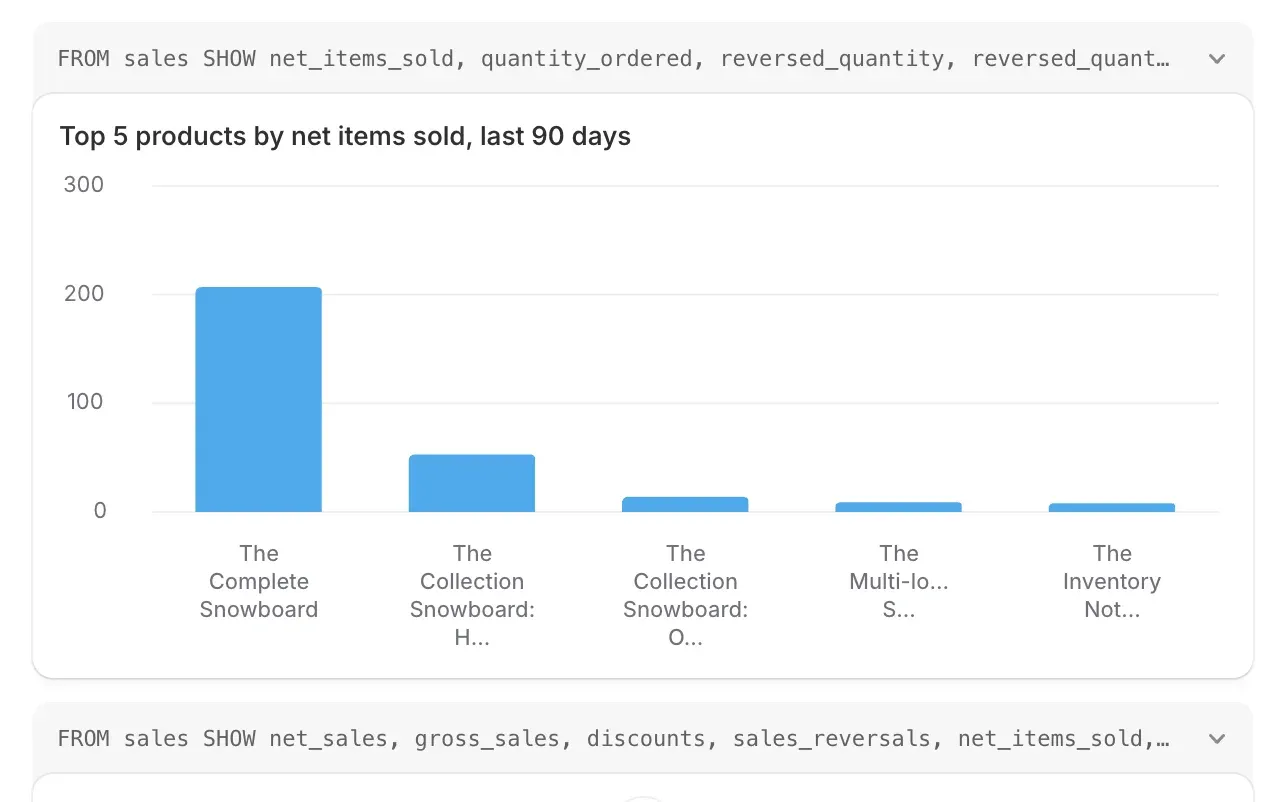
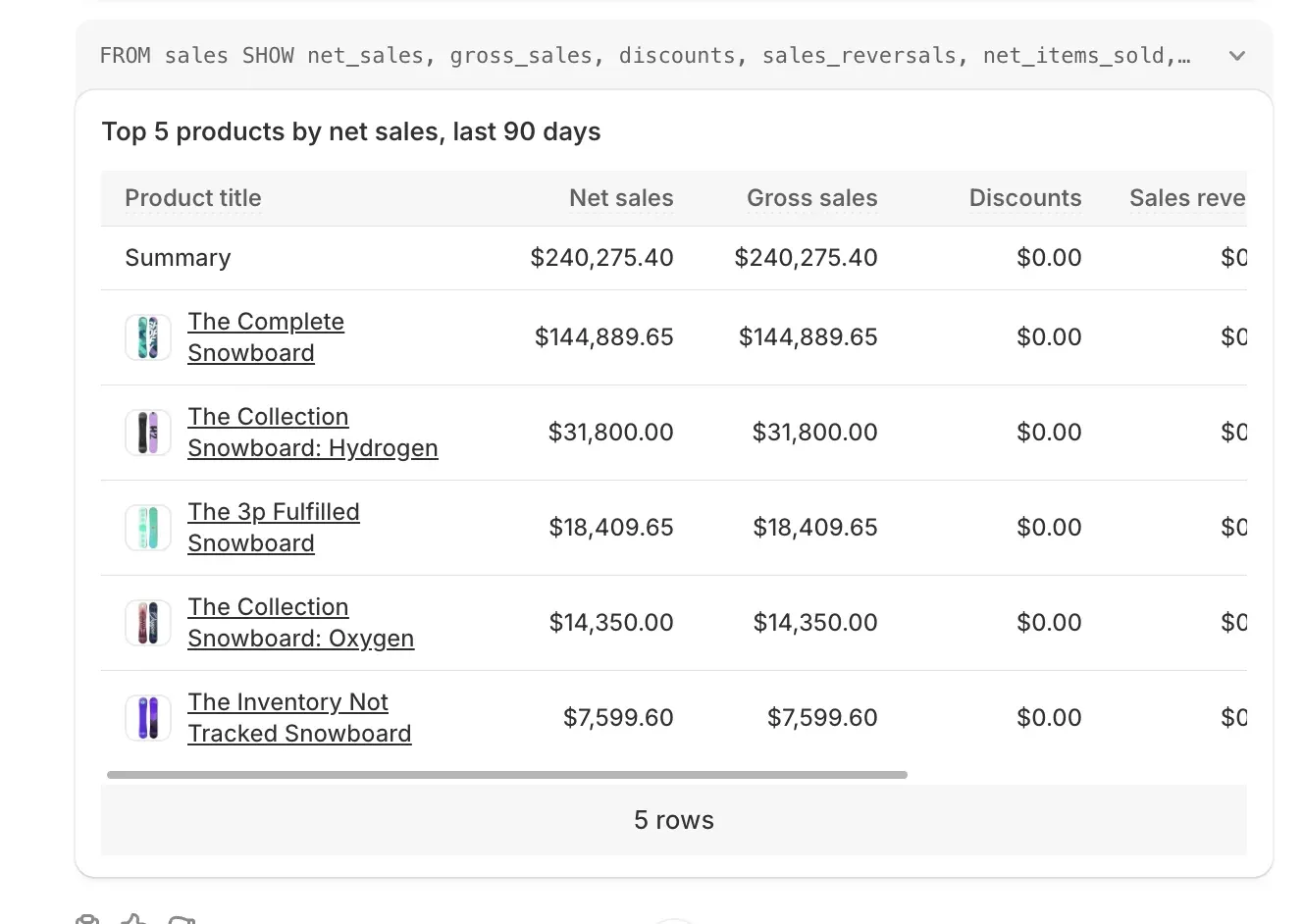
Above each chart you can see the query in ShopifyQL (FROM sales SHOW net_items_sold…), the language Shopify uses to compute analytics. A developer can review it and save it as a report.
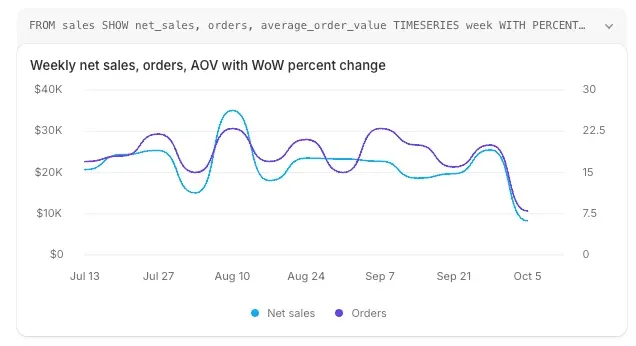
The same mechanism works for weekly trends, average order value or period comparisons.
We know what to sell. But to whom?
A segment in Shopify is a query like this:
amount_spent > 500 AND number_of_orders >= 2 AND last_order_date < -60dSidekick wrote this line. We gave it a plain sentence:
Prompt #1
Based on the data, prepare a customer segment worth targeting with a Black Friday campaign. I'm interested in customers who have bought before but haven't placed an order in the last 90 days.
Prompt #2
Create a segment of customers who have spent more than USD 500 with us, placed at least 2 orders and haven't bought anything in the last 60 days.
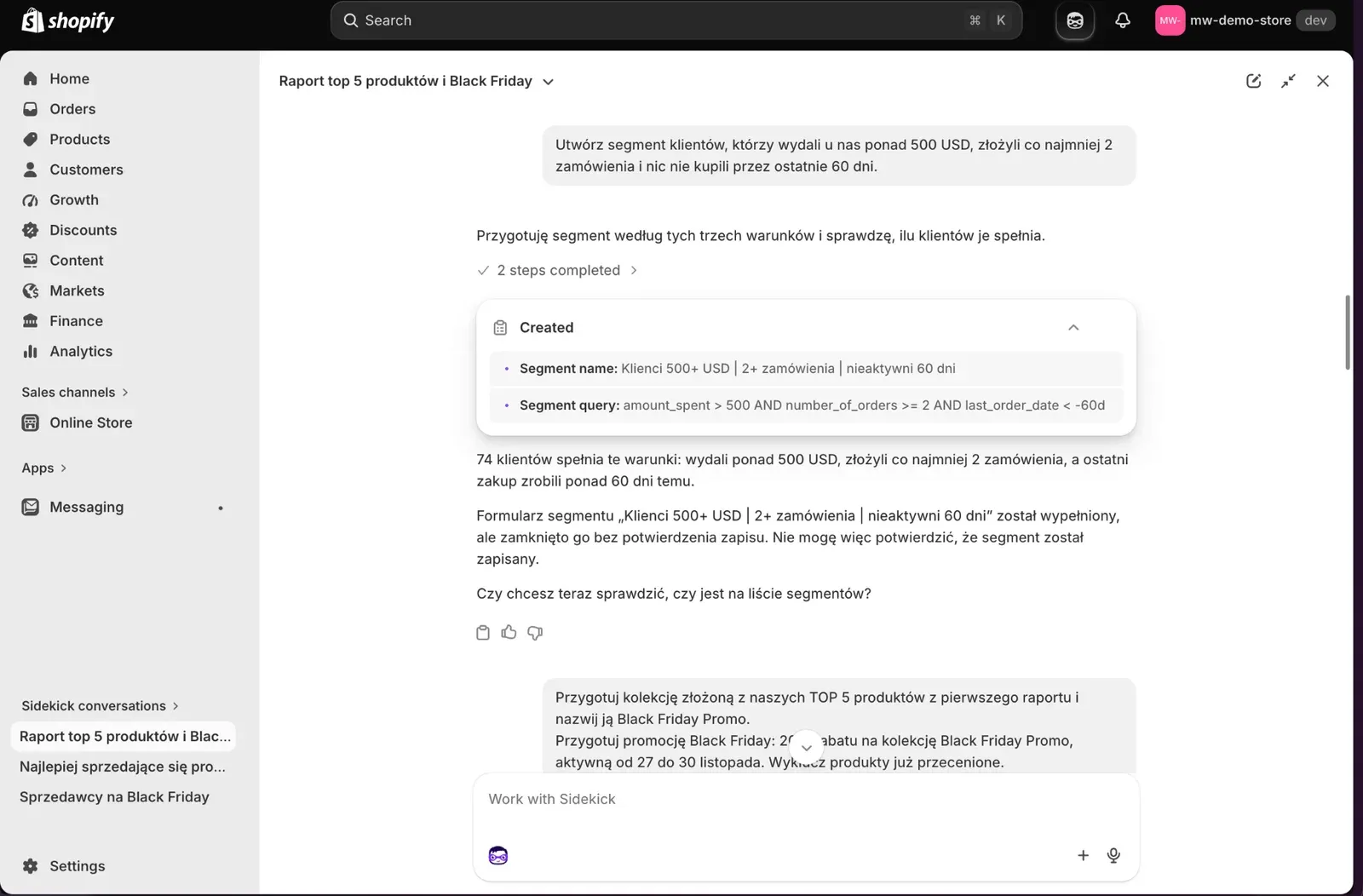
Sidekick found 74 customers meeting these conditions, or 49.66% of the base. Each of them spent more than USD 500, bought at least twice and hasn't ordered anything for 60 days.
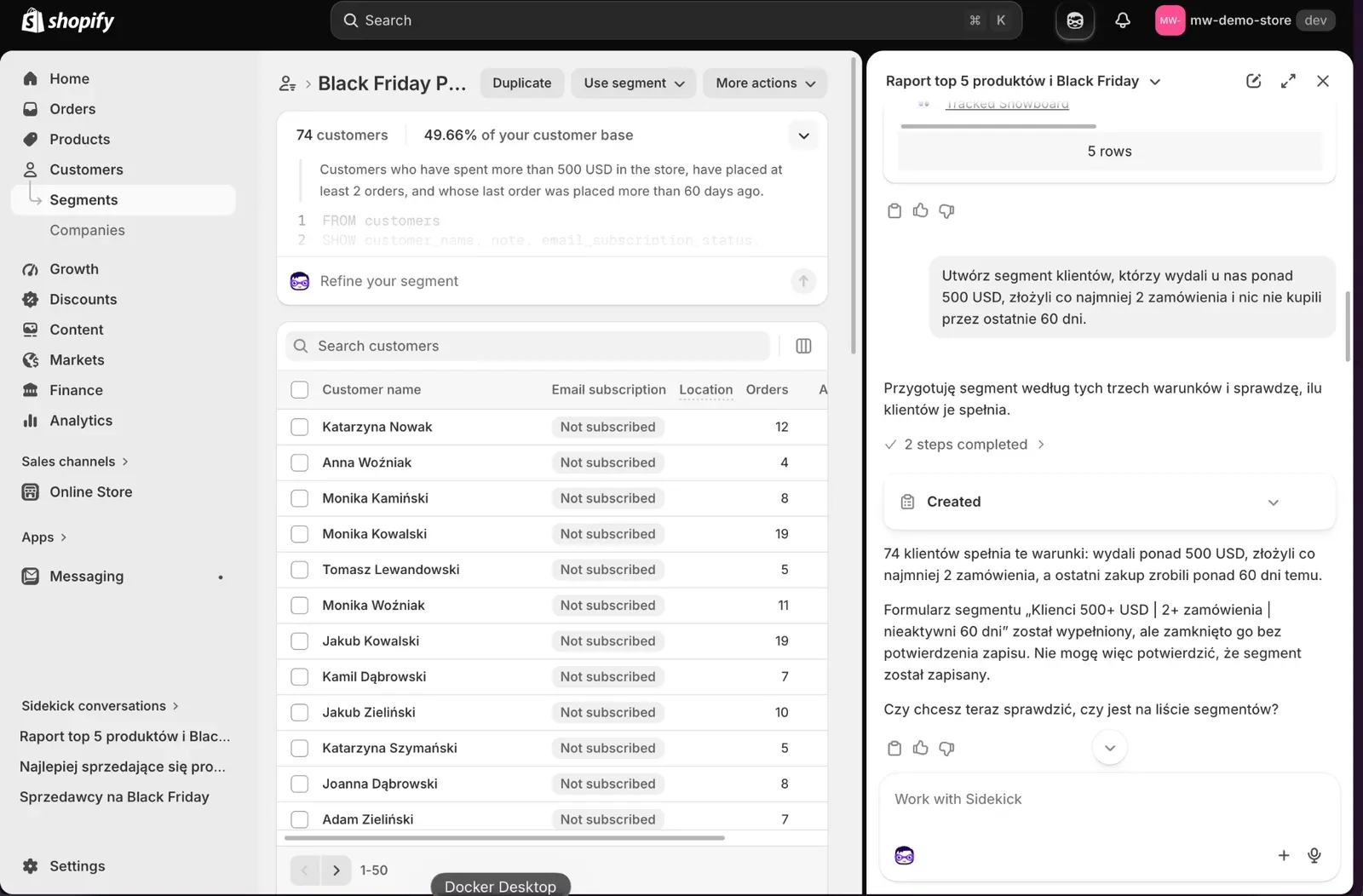
Sidekick added that it had filled in the segment form but couldn't confirm the save. The segment was saved, but we had to check that manually in the segment list.
Creating the promotion
The key words in these prompts are "from the first report". We didn't list product names, because Sidekick remembered the analysis from the start of the conversation.
Prompt #1
Prepare a collection made up of our TOP 5 products from the first report and name it Black Friday Promo.
Prompt #2
Prepare a Black Friday promotion: 20% off the Black Friday Promo collection, active from November 27 to 30. Exclude products that are already discounted.
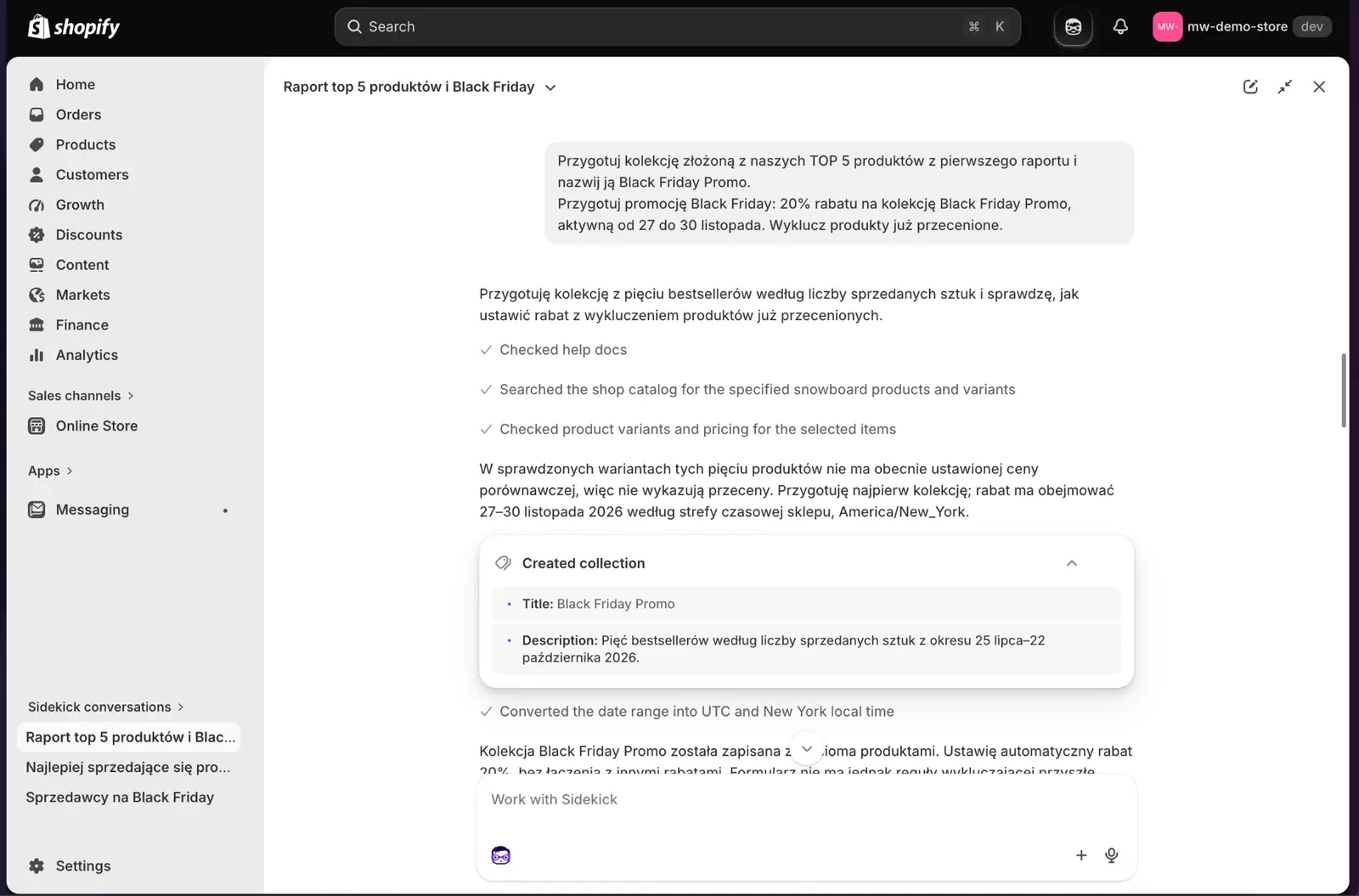
Before creating anything, it reviewed the documentation, the catalog and the variants' compare-at prices. It converted the dates to the store's time zone (America/New_York), so the discount starts on November 27 at 00:00 and ends on December 1 at 00:00.
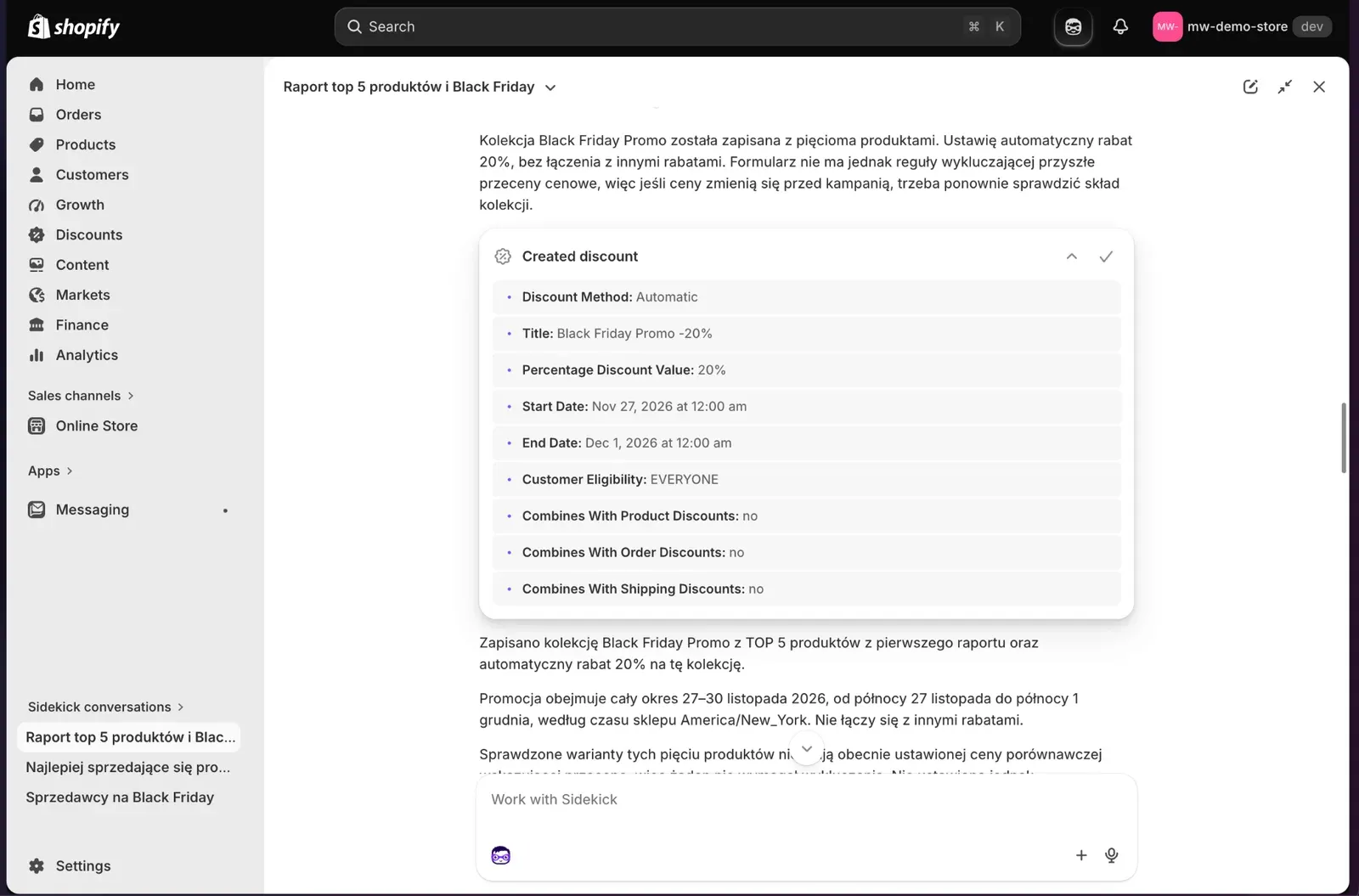
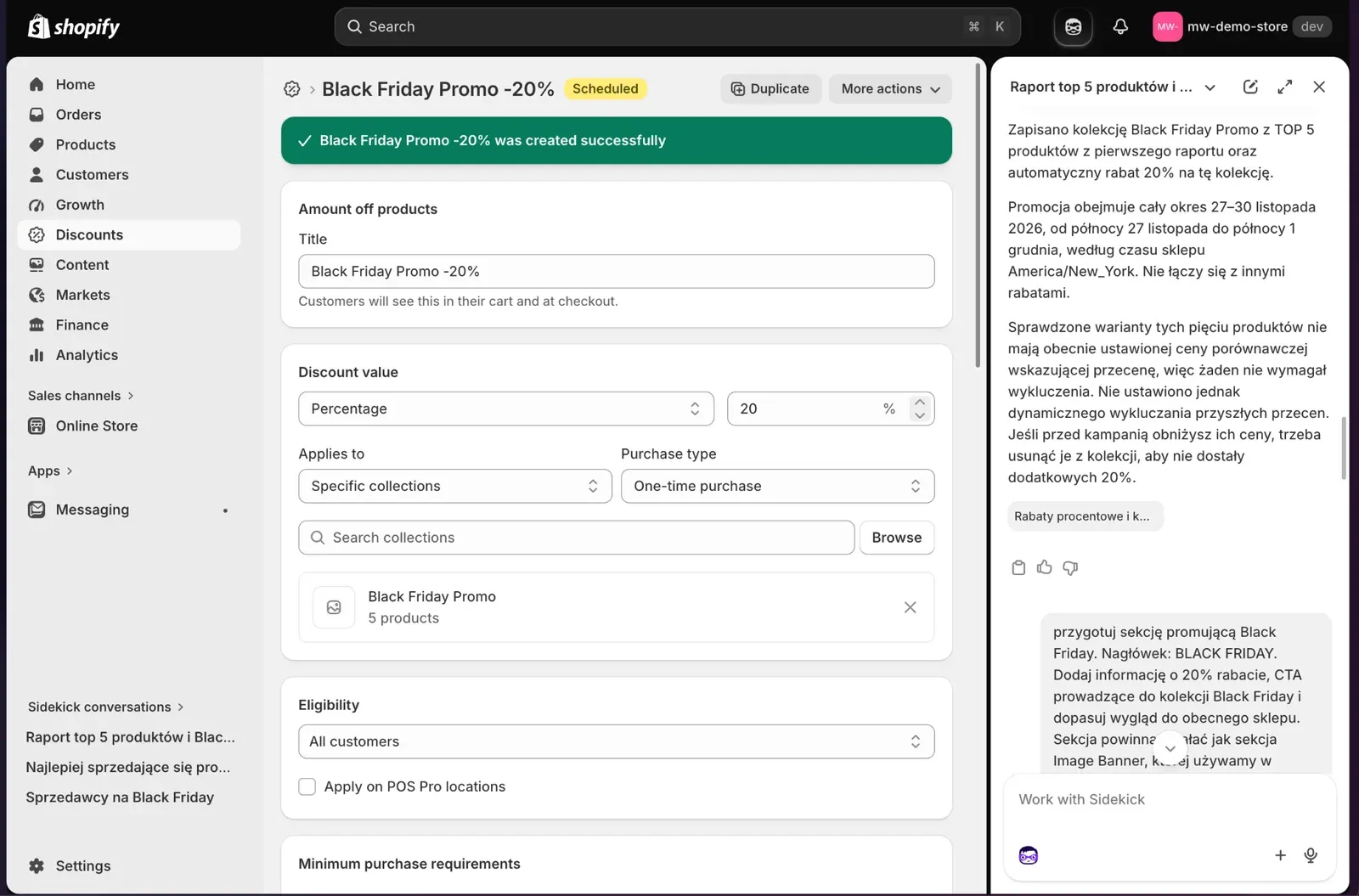
The discount is automatic, applies to all customers and doesn't combine with others. None of the five products had a compare-at price, so there was nothing to exclude, but the rule isn't dynamic. If you lower the price of one of the products before November 27, you have to remove it from the collection yourself, otherwise it will get another 20% off.
Showing the promotion in the store
We did this part in the theme editor, not in the admin. Anywhere else, Sidekick won't change how your store looks.
Prompt #1
Prepare a section promoting Black Friday. Heading: BLACK FRIDAY. Add information about the 20% discount, a CTA leading to the Black Friday collection, and match the look to the current store. The section should work like the Image Banner section we use in our store.
Prompt #2
Generate a hero image for the Black Friday campaign that matches the style of this store, with no text on the graphic. The graphic should show the products we sell and encourage purchase. Set it as the section background.
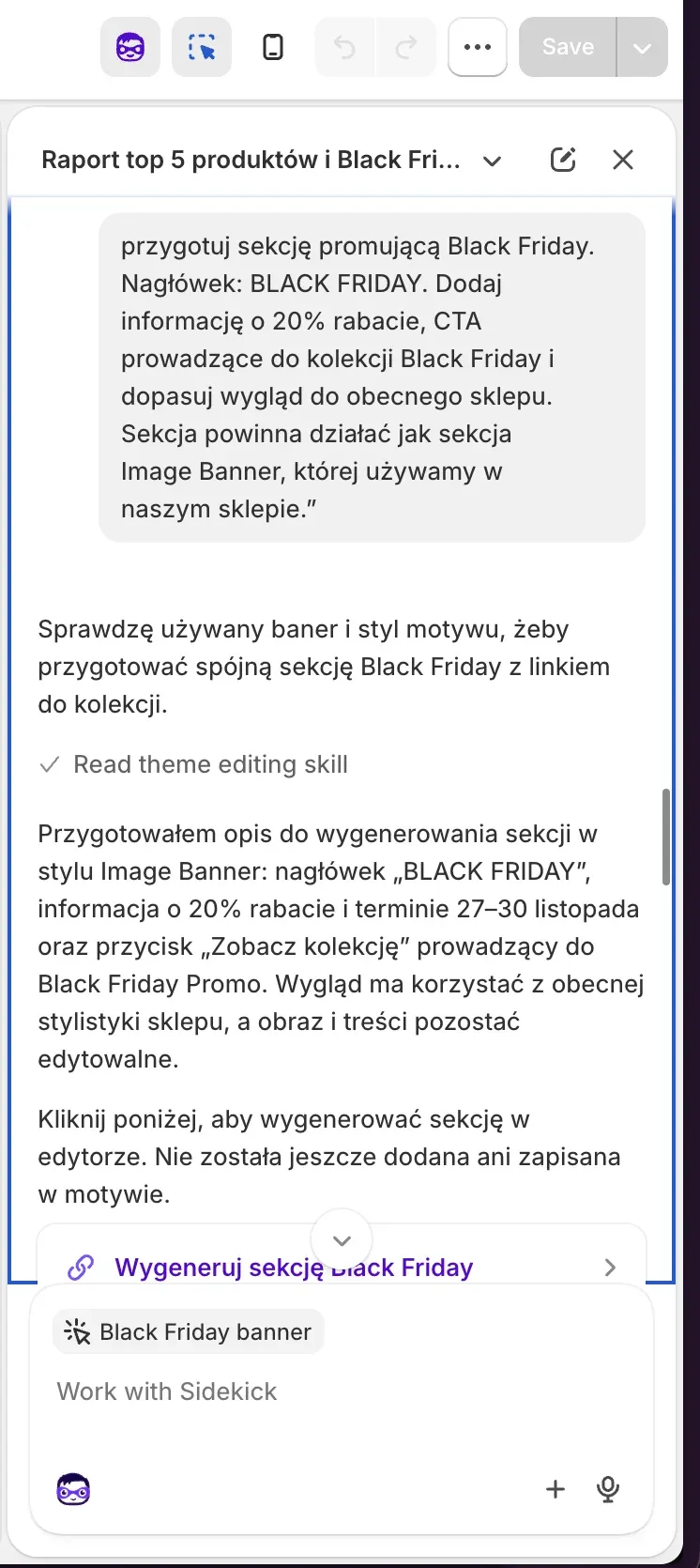
Pointing to Image Banner as a model mattered. Sidekick first read the existing banner and the theme's style, and only then described the new section: heading, discount with dates, a "View collection" button. It went into the theme after we clicked, not before.
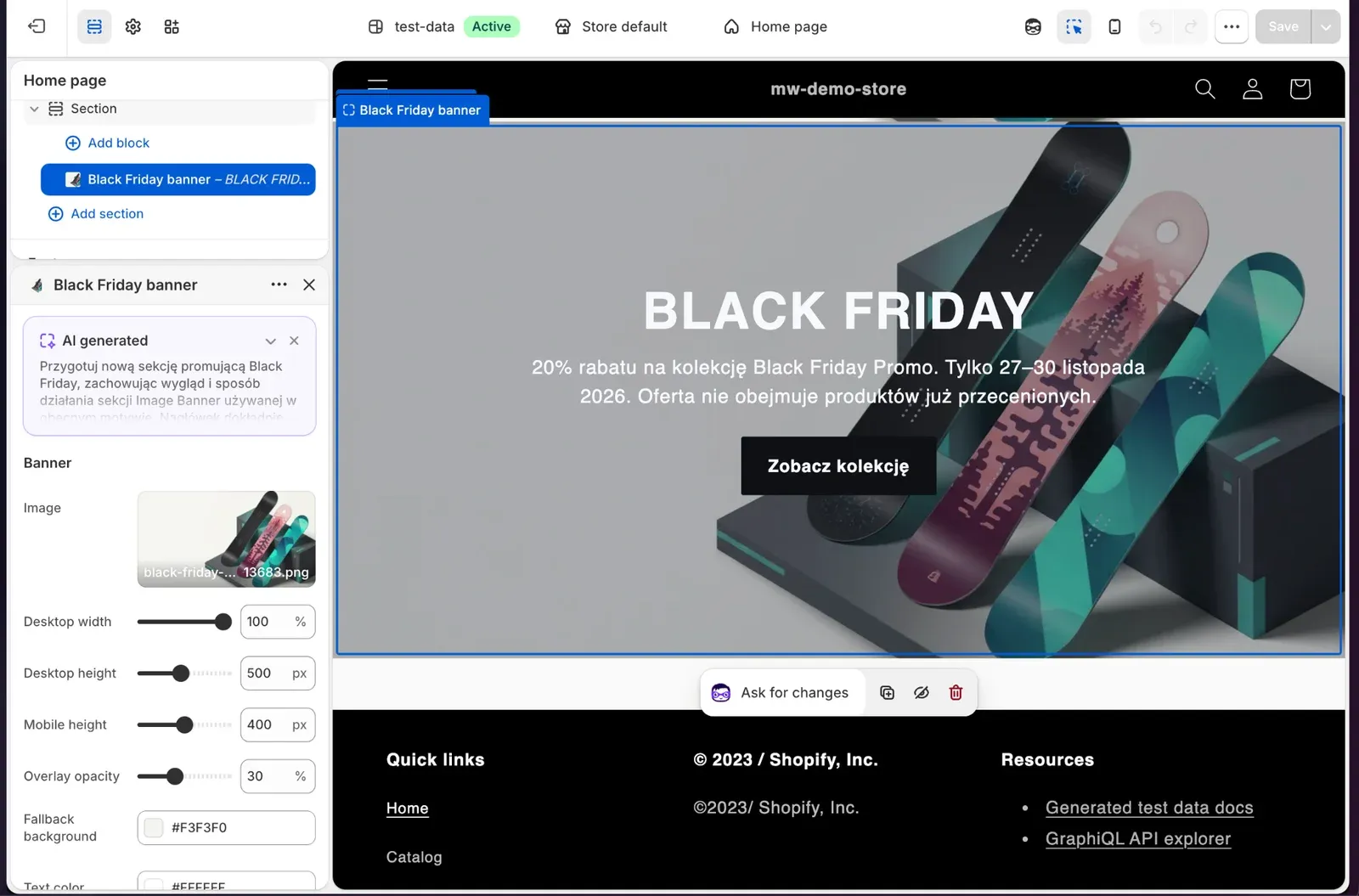
The section has the same settings as a regular banner: width, desktop and mobile heights, overlay and colors. The background image shows boards from the store. We keep the text in the section, not on the image, because AI-generated lettering is often distorted, while text in a section can be edited and translated.
Email campaign
This is where Sidekick showed the most limitations. In the Shopify Messaging app it works only within that app's context and performs one operation at each step of building the email. Our prompt was long:
Prompt
Prepare a Black Friday email campaign for the segment created earlier. We're promoting products from the Black Friday Promo collection, 20% off, with the same brand tone as in the current store. Add the previously generated image as an Image section, and at the bottom display a section with products from the "Black Friday Promo" collection. In the content, promote our top 3 products by sales, add a link to each product and show prices before and after the discount.
A prompt like this is better split into several smaller ones: recipients, content, sections.
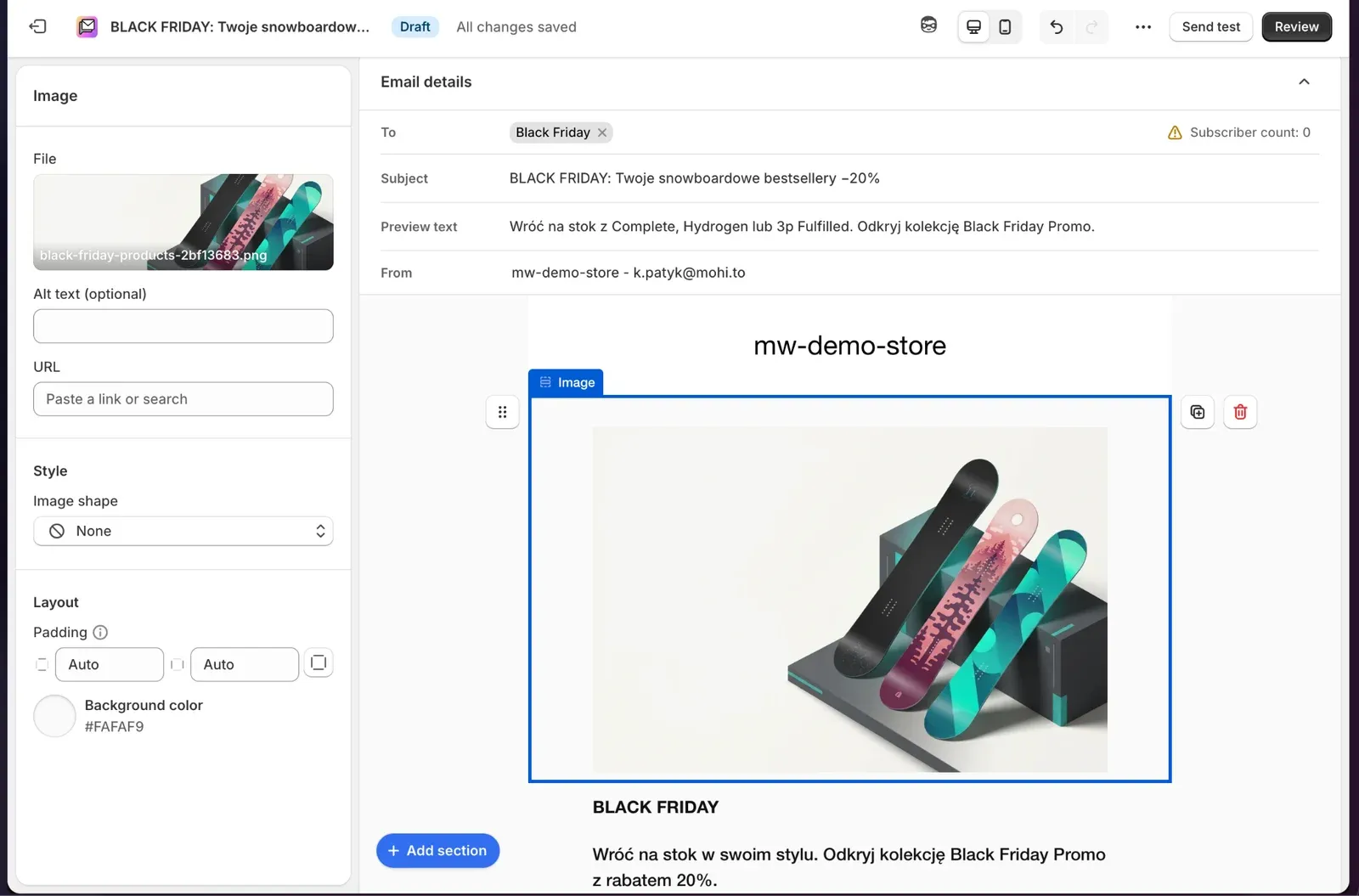
The subject line reads "BLACK FRIDAY: Twoje snowboardowe bestsellery −20%" ("Your snowboard bestsellers −20%"), with the banner image below it.
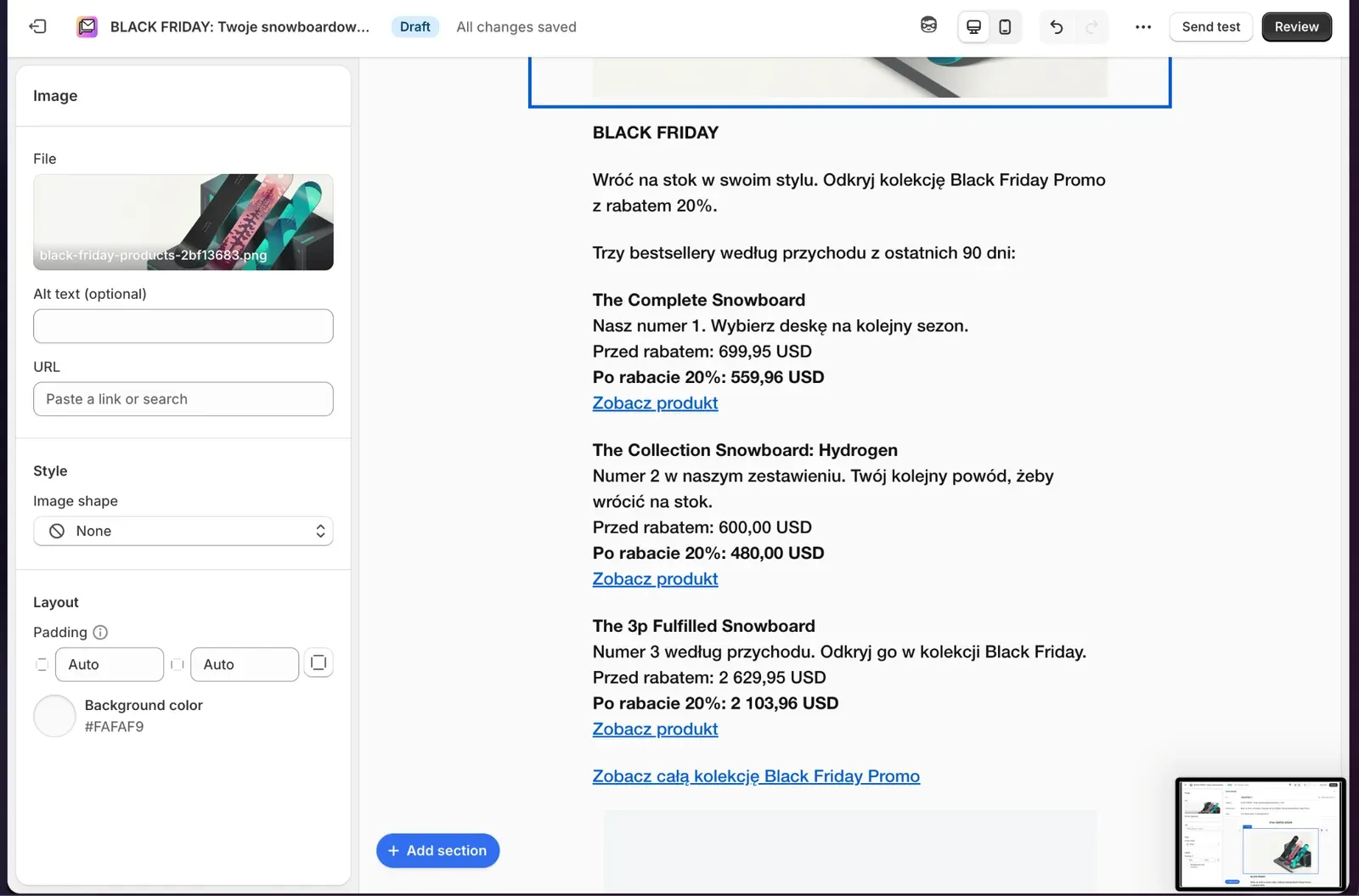
Further down are three bestsellers with links and correctly calculated prices before and after the discount (USD 699.95 → USD 559.96 for The Complete Snowboard), and at the bottom a link to the whole collection.
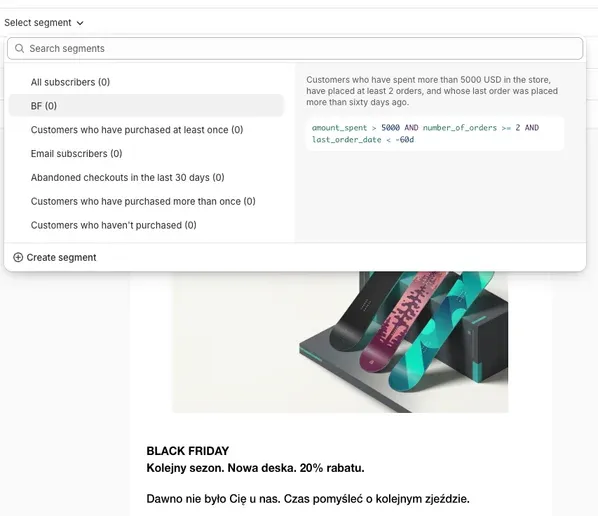
The recipient counter, however, showed 0 subscribers. The customers in the test data hadn't consented to email marketing. So Sidekick built an email for a segment nothing could be sent to. Check the number of recipients before every send.
Summary: did we shorten the path from business to delivery?
In the demo we didn't need an analyst or Excel: the reports, segment, collection and discount all came from prompts. Sidekick made a simple section on the page and the image without a designer or developer. The email got made, but it needed checking, and in the demo it had no one to go to anyway.
Where Sidekick worked best:
- reports, visualizations and charts in ShopifyQL,
- customer segments,
- collections and discounts,
- simple changes to the theme and sections.
What to watch out for:
- advanced theme changes, i.e. complex logic and theme rebuilds, are still a developer's job,
- mailings and customer communication, because Sidekick can do less inside apps, and the copy and images often give away that they're AI-made.
Will AI replace people?
No. But it will change what people spend their time on.
AI handles repetitive work well: it will calculate sales, build a segment query, fill in a discount form, write the first draft of an email. What it doesn't know is whether a 20% discount pays off at your margin, whether the image fits your brand, and whether the email sounds the way you talk to your customers. A person still has to judge that, and that person is responsible for the result.
In our demo, Sidekick took over clicking around the admin and building reports. It didn't replace anyone who decides on the campaign or checks its results.
Want to get your Shopify store ready for Black Friday or bring AI into your team's work? At wecanfly we've been building stores and e-commerce solutions on Shopify, PHP and WordPress for 15 years. Write to us: hello@wecanflyagency.com or visit wecanflyagency.com.